May 18, 2026
Create your Budolinks account
Budolinks.com helps creators, affiliates, and shop owners organize and share product recommendations in one clean storefront. With your own creator page, you can showcase products, build trust with your audience, and share everything using a single link.
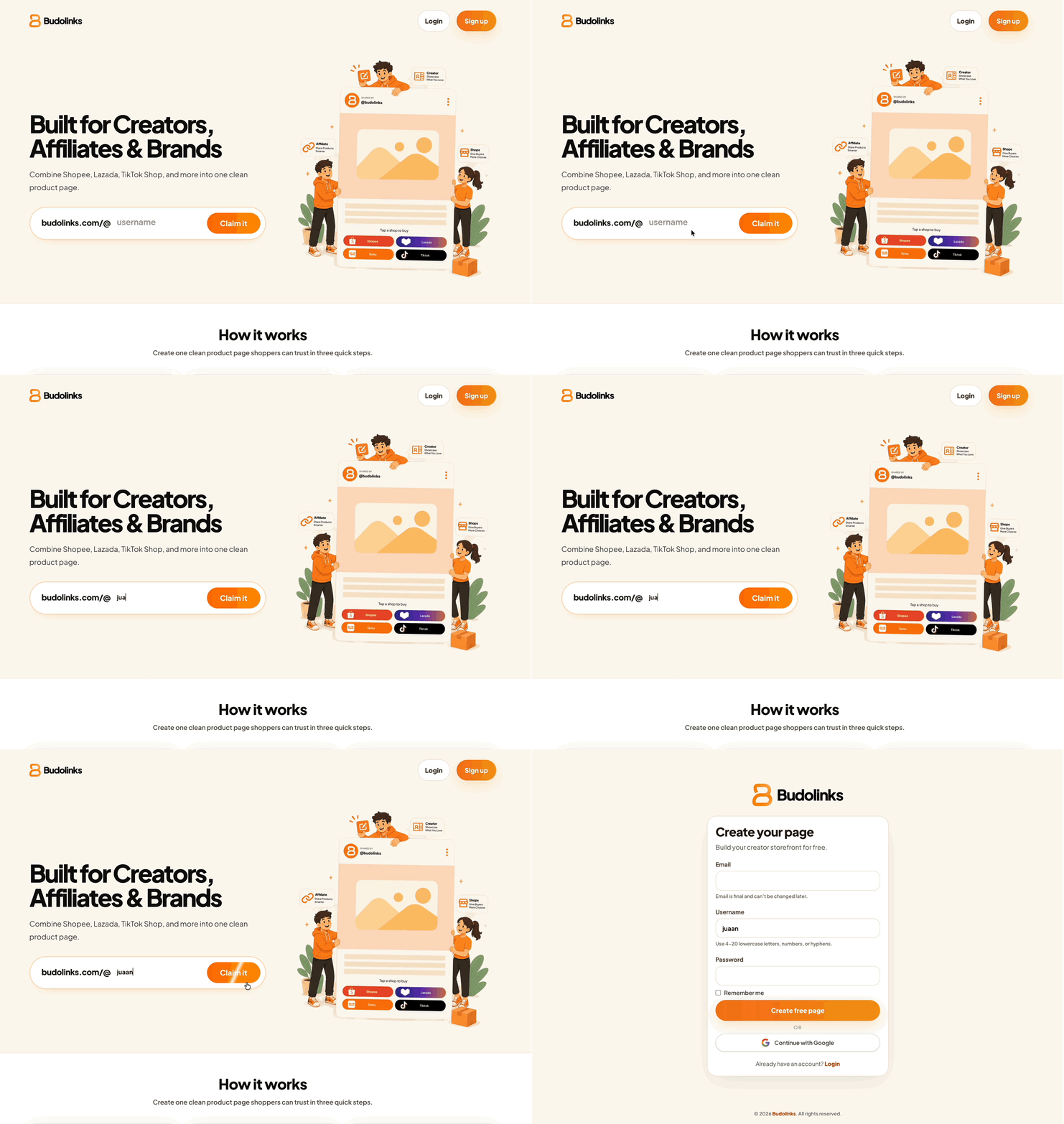
Step 1: Start creating your page
On the homepage, enter your preferred username and click Claim Username, or click Sign up.
Step 2: Enter your account details
Fill in your email, username, and password.
Your username becomes your public storefront link.
- Email addresses cannot be changed after signup.
- Usernames cannot be changed after normal signup.
- Accounts created using Google Sign In can change their username one time only.
Make sure your email and username are correct before continuing.
Step 3: Verify your email
Check your inbox and click the verification link from Budolinks.
Didn’t receive it? Click Resend verification email and check your spam or promotions folder.
Step 4: Access your storefront
Once verified, your Budolinks creator page is ready.
- customize your profile
- add your first product
- organize collections
- share your storefront anywhere online